

1. Shift + R is a must!
You can play whatever you want without the need to set the record button.
Once you’ve stopped playing, just press the key command Shift + R, and you will have your MIDI clip created with what you played before.
2. Saving RAM 😮💨
To save RAM in projects with resource-intensive plugins, right-click on a track, choose ‘Track Header Components’>’On/Off’.
Hold the option key while clicking the button to unload the plugin, optimizing performance.
3. Automatic Color Code 🎨
Go to Preferences > Display > Tracks and enable the ‘Autoassign 96 colors’ option in the track color section.
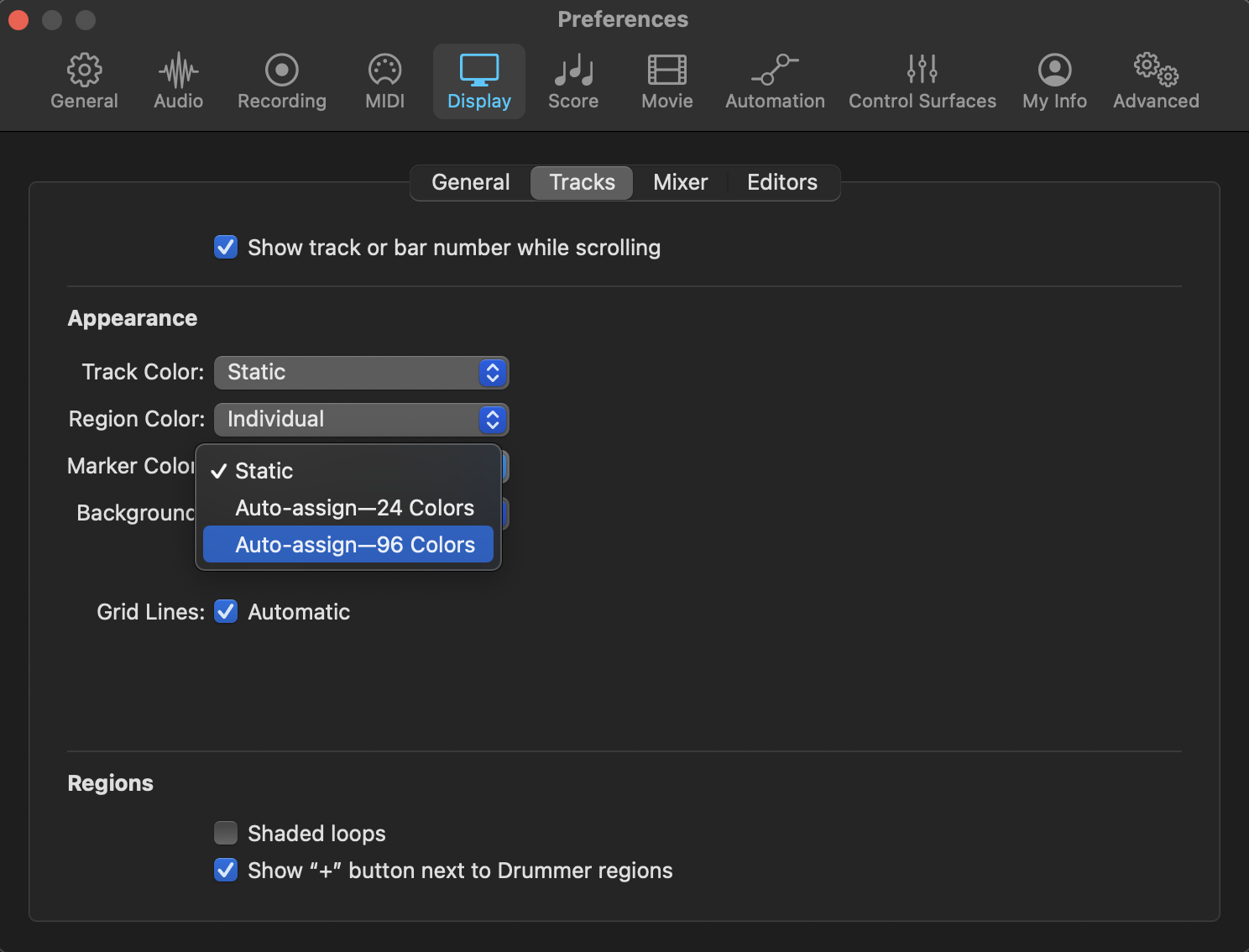
This way, every time you import tracks, they will be automatically colored.



 50 Industry Music Production Tips You Must Know